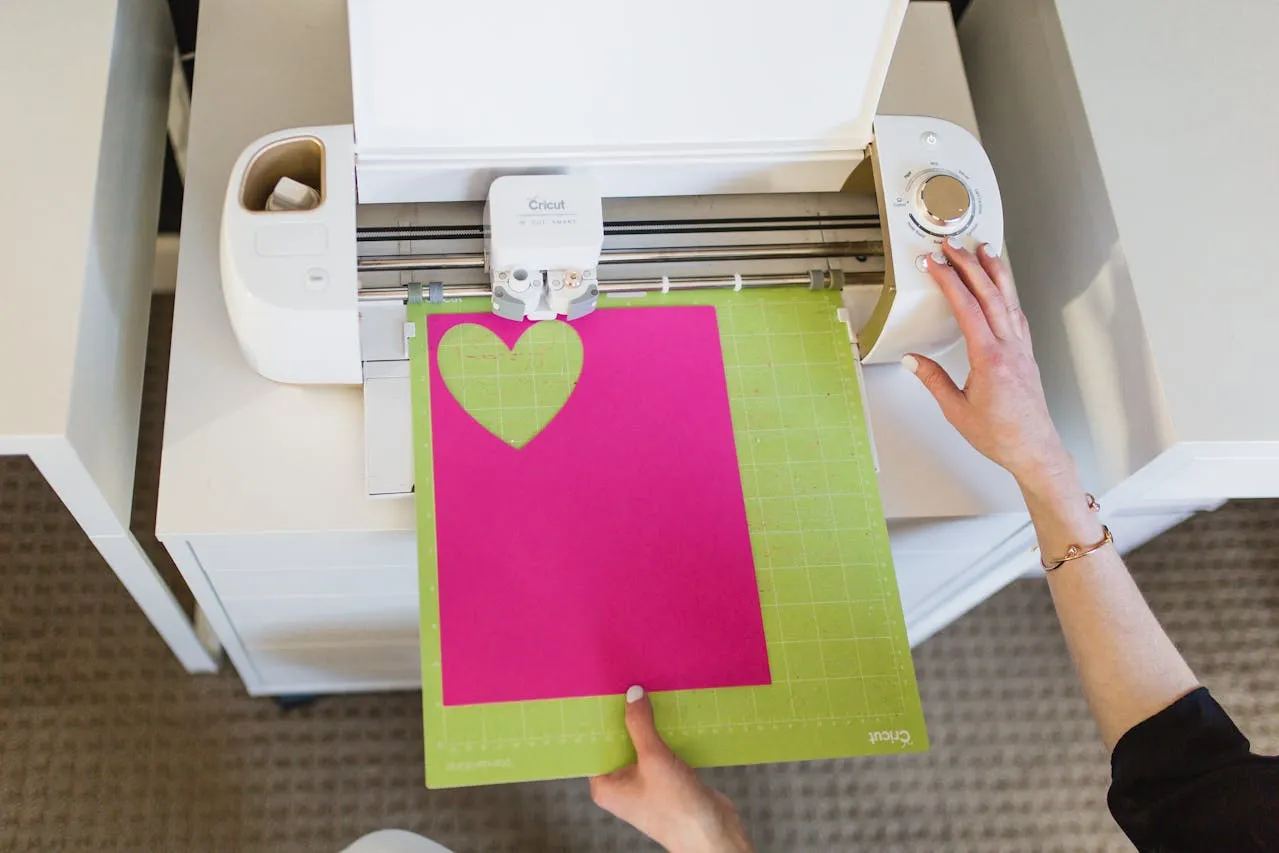
You load your material, press cut… and then everything shifts. The vinyl slides, the paper lifts, and suddenly your project is ruined before it even starts.
If your Cricut mat has lost its stickiness, you’re not alone. It happens to everyone—especially if you craft often. The good news? You don’t need to rush out and buy a new mat.
With the right techniques, you can restore your Cricut mat’s grip quickly, safely, and on a budget.
Here’s the Real Reason Your Cricut Mat Stops Being Sticky
Your mat didn’t just “wear out”—it got covered.
Every time you use your mat, it collects:
- Dust and lint from the air
- Paper fibers and vinyl residue
- Oils from your hands
Over time, this buildup creates a barrier over the adhesive, making it feel like the stickiness is gone—even when it’s still underneath.
The solution isn’t always replacing the adhesive. Most of the time, you just need to clean it properly.
What You’ll Need (On a Budget)
Before you start, gather these simple supplies:
For basic cleaning:
- Baby wipes (alcohol-free)
- Mild dish soap
- Warm water
- Soft sponge or cloth
For deeper cleaning:
- Soft brush (like a toothbrush)
- Scraper tool (optional)
For resticking (if needed):
- Spray adhesive (repositionable)
- Painter’s tape
Step-by-Step: How to Make Cricut Mat Sticky Again
Start with cleaning—this solves the problem most of the time.
- Step 1: Remove Loose Debris
Gently scrape off any visible scraps of paper or vinyl.
Use a scraper tool or your fingers—don’t dig into the mat. - Step 2: Use Baby Wipes for Quick Cleaning
Wipe the surface gently using alcohol-free baby wipes.
This removes dust and light residue without damaging the adhesive. - Step 3: Wash with Soap and Water
Add a few drops of dish soap to warm water.
Lightly scrub the mat using a soft sponge or cloth. - Step 4: Focus on Dirty Areas
If there’s stubborn buildup, use a soft brush to clean those spots gently.
Avoid harsh scrubbing—it can remove the adhesive layer. - Step 5: Rinse Carefully
Rinse with lukewarm water to remove all soap residue. - Step 6: Air Dry Completely
Let the mat air dry naturally.
As it dries, the stickiness will return. - Step 7: Test Before Use
Once dry, test with a small piece of material.
If it grips well, you’re good to go.
No Scrubbing Method for Light Cleaning
If your mat isn’t too dirty, you can skip scrubbing entirely.
Try this:
- Use baby wipes and gently wipe the surface
- Let it air dry
- Test stickiness
This method is quick, safe, and perfect for regular maintenance.
How to Restick a Cricut Mat Permanently
If cleaning doesn’t work, it’s time to restore the adhesive.
Here’s how:
- Cover the edges of your mat with painter’s tape (to protect them)
- Use a repositionable spray adhesive lightly across the surface
- Let it sit for a few minutes until tacky (not wet)
- Remove the tape and let it fully dry
Important tips:
- Always apply in a well-ventilated area
- Use light, even coats
- Avoid over-spraying (this makes mats too sticky)
This method can extend your mat’s life significantly.
You’re Probably Doing This Wrong
If your mat keeps losing stickiness quickly, check for these mistakes:
- Washing with harsh chemicals
- Scrubbing too aggressively
- Touching the mat too often with bare hands
- Not covering the mat after use
- Using materials that leave heavy residue
Small habits can make a big difference.
Don’t Ignore This: Signs Your Mat Needs Cleaning
Watch for these signs:
- Materials don’t stay in place
- Edges lift during cutting
- Visible lint or dust buildup
- Uneven grip across the mat
Cleaning early prevents bigger issues later.
Stop Doing This Before It’s Too Late
Avoid these common mistakes that can permanently damage your mat:
- Don’t use alcohol or harsh cleaners
- Don’t use rough scrubbers like steel wool
- Don’t scrape aggressively
- Don’t store mats uncovered
These can strip away the adhesive completely.
Quick Fixes for Common Problems
| Problem | Step-by-Step Solution | Alternative Suggestion |
|---|---|---|
| Mat still not sticky after cleaning | Repeat wash and let dry fully | Try light spray adhesive |
| Too sticky after resticking | Dab lightly with a clean cloth to reduce tack | Press fabric lightly to tone it down |
| Uneven stickiness | Focus cleaning on problem areas | Reapply adhesive evenly |
| Mat warping or bending | Store flat and avoid heat exposure | Replace if damage is severe |
| Residue keeps building up | Clean after every few uses | Use protective sheet when possible |
Tips to Keep Your Cricut Mat Sticky Longer
Once your mat is restored, keep it that way:
- Always replace the protective cover after use
- Store flat in a clean, dry space
- Avoid touching the sticky surface
- Clean regularly before buildup gets heavy
- Use the right mat for each material
Prevention is easier than restoration.
Before It’s Too Late: When to Replace Your Cricut Mat
Sometimes, it’s better to let go.
Replace your mat if:
- The adhesive is completely gone
- The surface is peeling or damaged
- It no longer grips even after resticking
Mats are reusable—but not forever.
FAQ
Can I use alcohol to clean my Cricut mat?
It’s not recommended. Alcohol can break down the adhesive.
How often should I clean my mat?
Light cleaning every few uses and deep cleaning when you notice buildup.
Can I make my Cricut mat sticky again without spray adhesive?
Yes! Cleaning alone works in most cases.
Why is my mat sticky when wet but not when dry?
That usually means the adhesive is worn out and may need replacing.
Conclusion
A non-sticky Cricut mat doesn’t mean your crafting days are over—it just means your mat needs a little care.
In most cases, a simple cleaning is all it takes to bring back that grip. And if not, a quick resticking method can give your mat a second life.
The secret? Gentle cleaning, smart habits, and knowing when to restore vs. replace. Once you get the hang of it, you’ll save money—and avoid a lot of frustrating failed cuts.
Next, learn How to Use Cricut Iron-On Vinyl.
Enjoyed this project? Get even more DIY ideas that save (and make) you money.
Join our free newsletter for profitable DIY projects, clever cleaning hacks, home ideas, and creative crafts delivered straight to your inbox.
✓ Free forever • No spam • Unsubscribe anytime